Have you ever opened your favorite game, felt ready to play, and then suddenly faced a loading screen that would not move? A WinZir game loading problem can be frustrating, especially when you are excited to explore slots, live casino games, or sports betting markets.
The good news is that most online casino game not loading issues can be fixed with a few simple steps. From slow internet connections to outdated browsers, several common reasons may cause a game loading error.
If you are experiencing problems while accessing WinZir, this troubleshooting guide can help you identify possible causes and get back to enjoying your gaming experience.
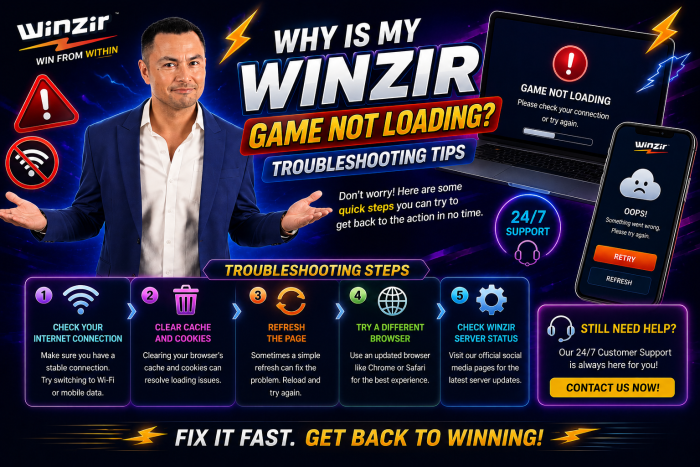
1. Check Your Internet Connection First
One of the most common causes of slow internet gaming problems is an unstable connection. Online games require a stable internet signal to load properly, especially games with live features.
Try these quick checks:
- Refresh your Wi-Fi connection.
- Switch between Wi-Fi and mobile data.
- Restart your modem or router.
- Close other apps that are using too much internet.
- Move closer to your Wi-Fi source.
If your connection keeps dropping, you may experience casino game connection issues, including frozen screens, delayed gameplay, or games that fail to load completely.
A stronger and more stable connection can often solve the problem immediately.
2. Refresh the Game or Restart Your Browser
Sometimes, the problem is temporary.
If you encounter a game loading error, try refreshing the page first. If that does not work, completely close your browser and open it again.
For desktop users:
- Close the browser.
- Reopen it.
- Visit WinZir again.
- Log in to your account.
- Try opening the game.
For mobile users, close the browser or app completely from the background before reopening it.
This simple step can fix many temporary mobile gaming issues and loading problems.
3. Clear Your Browser Cache and Cookies
Your browser cache and cookies store website information to help pages load faster. However, old or corrupted files may sometimes cause games to load incorrectly.
If your game is stuck on the loading screen, try clearing your browser cache and cookies.
After clearing them:
- Restart your browser.
- Log in to your account again.
- Open the game you want to play.
This is especially useful if the website works normally but a specific game continues showing a loading error.
Remember that clearing cookies may log you out of some websites, so make sure you know your login details before doing this.
4. Update Your Browser
An outdated browser may not fully support modern online gaming features.
For the best experience, make sure you are using the latest version of browsers such as Chrome, Safari, Firefox, or Microsoft Edge.
Updating your browser may improve:
- Game loading speed
- Website compatibility
- Security
- Video and live streaming performance
- Overall gaming stability
If you regularly enjoy online casino games, keeping your browser updated can help reduce unnecessary loading issues.
5. Try Another Device
Sometimes, the issue may not come from the WinZir platform itself. Your device could be causing the problem.
For example, you may experience:
- Low available storage
- Too many apps running
- Outdated operating system
- Browser compatibility problems
- Weak device performance
Try logging in using another device.
If the game loads successfully on a different phone, tablet, or computer, the issue may be related to your original device.
This is one of the easiest ways to identify whether you are dealing with a device problem or a platform-related issue.
6. Close Background Apps
Too many applications running in the background can slow down your device and affect your gaming experience.
This is particularly common for players using older smartphones.
Before playing, try closing:
- Streaming applications
- Social media apps
- Video calls
- Large downloads
- Other browser tabs
Freeing up memory may help solve slow internet gaming problems and improve game performance.
For smoother gameplay, especially when playing online slot games, make sure your device has enough available memory and a stable connection.
7. Check for Temporary Maintenance
Occasionally, an online gaming platform may perform updates or maintenance to improve services and system performance.
During these periods, some games or features may temporarily become unavailable.
If several games are not loading, wait a few minutes before trying again. You can also check the official WinZir website for announcements or updates.
Avoid repeatedly refreshing or opening multiple sessions at the same time, as this may create additional browser issues.
8. Disable VPN or Connection Restrictions
Some connection settings can affect access to online gaming platforms.
If you are using a VPN, proxy, or strict network firewall, try temporarily disabling it and reconnecting through your regular internet connection.
This may help resolve certain casino game connection issues.
Public Wi-Fi networks may also have restrictions that affect gaming websites. If possible, use a secure and stable private connection instead.
For players accessing an online casino for Filipino audiences, using a reliable local connection can help provide a smoother experience.
9. Check Your Account and Login Session
Sometimes a loading issue may happen because your login session has expired.
Try logging out and logging back in.
You can also:
- Check if your account is active.
- Make sure your browser accepts necessary cookies.
- Avoid opening multiple sessions at once.
- Confirm that you are using the correct login details.
A fresh login session can sometimes solve a simple WinZir game loading problem.
10. Contact WinZir Customer Support
If you have tried everything and your game is still not loading, it may be time to contact WinZir customer support.
When reporting the issue, provide as much information as possible, including:
- Name of the game
- Screenshot of the error
- Device you are using
- Browser or app version
- Type of internet connection
- Time when the issue happened
This information can help the online betting platform support team understand the problem faster.
Before contacting support, avoid creating multiple accounts or repeatedly attempting transactions while the system is not responding.
Enjoy a Smoother WinZir Gaming Experience
Experiencing a game loading error does not always mean there is a serious problem. In many cases, the solution is simple: check your internet, refresh your browser, clear your cache, or restart your device.
For players in the Philippines, a stable internet connection and updated device can make a big difference when enjoying online gaming.
Whether you are exploring a **PH Online Casino, checking exciting games, or enjoying a trusted PH Betting Site, taking a few minutes to troubleshoot can save you from unnecessary frustration.
Most importantly, always practice responsible online gaming. Play for entertainment, manage your budget, and take a break if technical issues or gameplay become stressful.
The next time you encounter a WinZir game loading problem, do not panic. Start with these quick troubleshooting tips, check your connection and device, and contact WinZir customer support if needed.
With the right steps, you may be back to enjoying your favorite games in just a few minutes.
Article Created and Published By: T.R Queen